
How Jump Score Collects SMS Consent
Jump Score, L.L.C. sends service text messages about cheer competitions: score releases and schedule changes for coaches, event waiver invitations and reminders for athletes and parents, and pending-waiver reminders for gym owners. We do not send marketing texts. A number receives texts only after consent for that number is recorded in Jump Score, through the screens shown below.
The Consent Checkbox
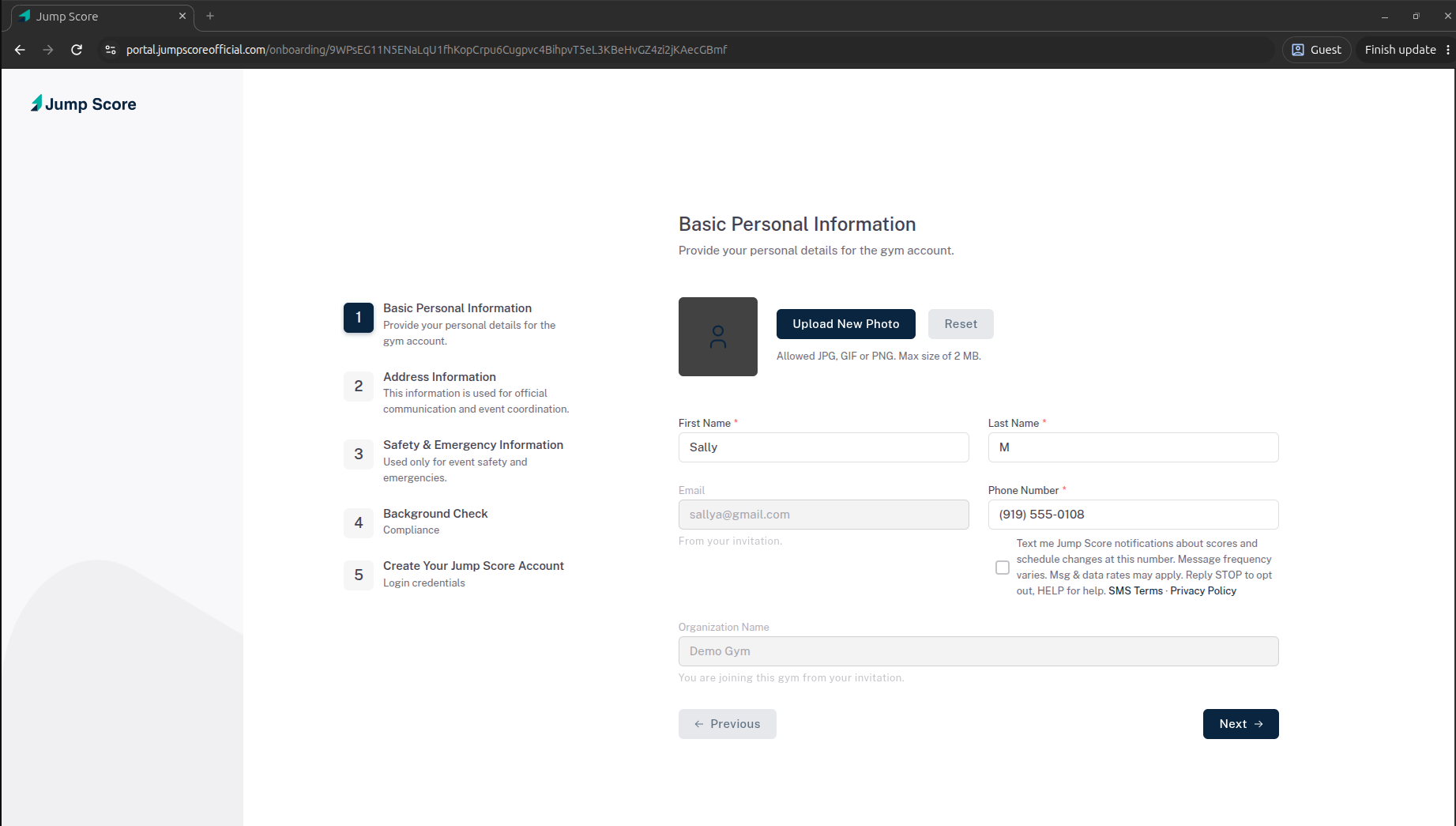
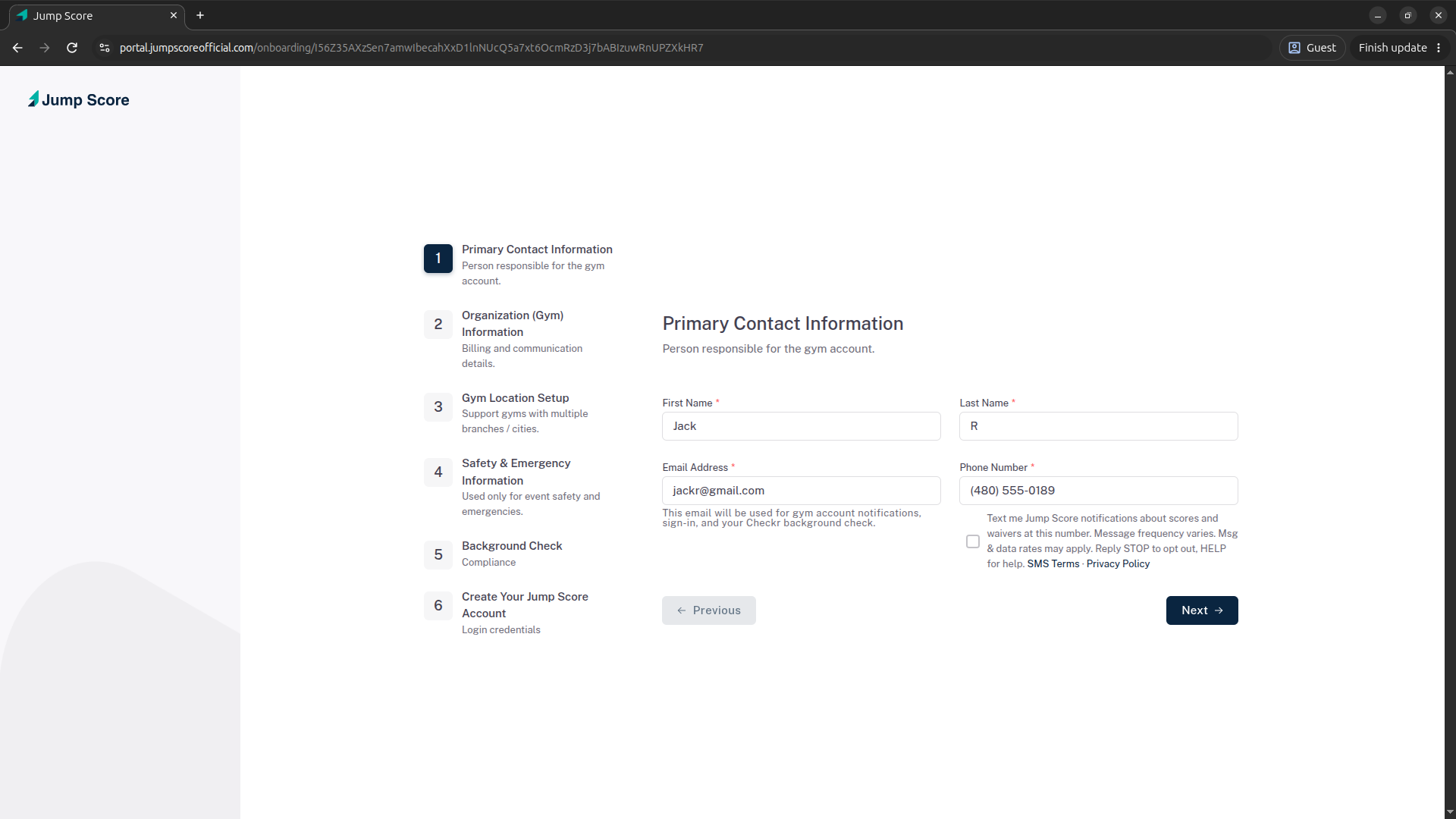
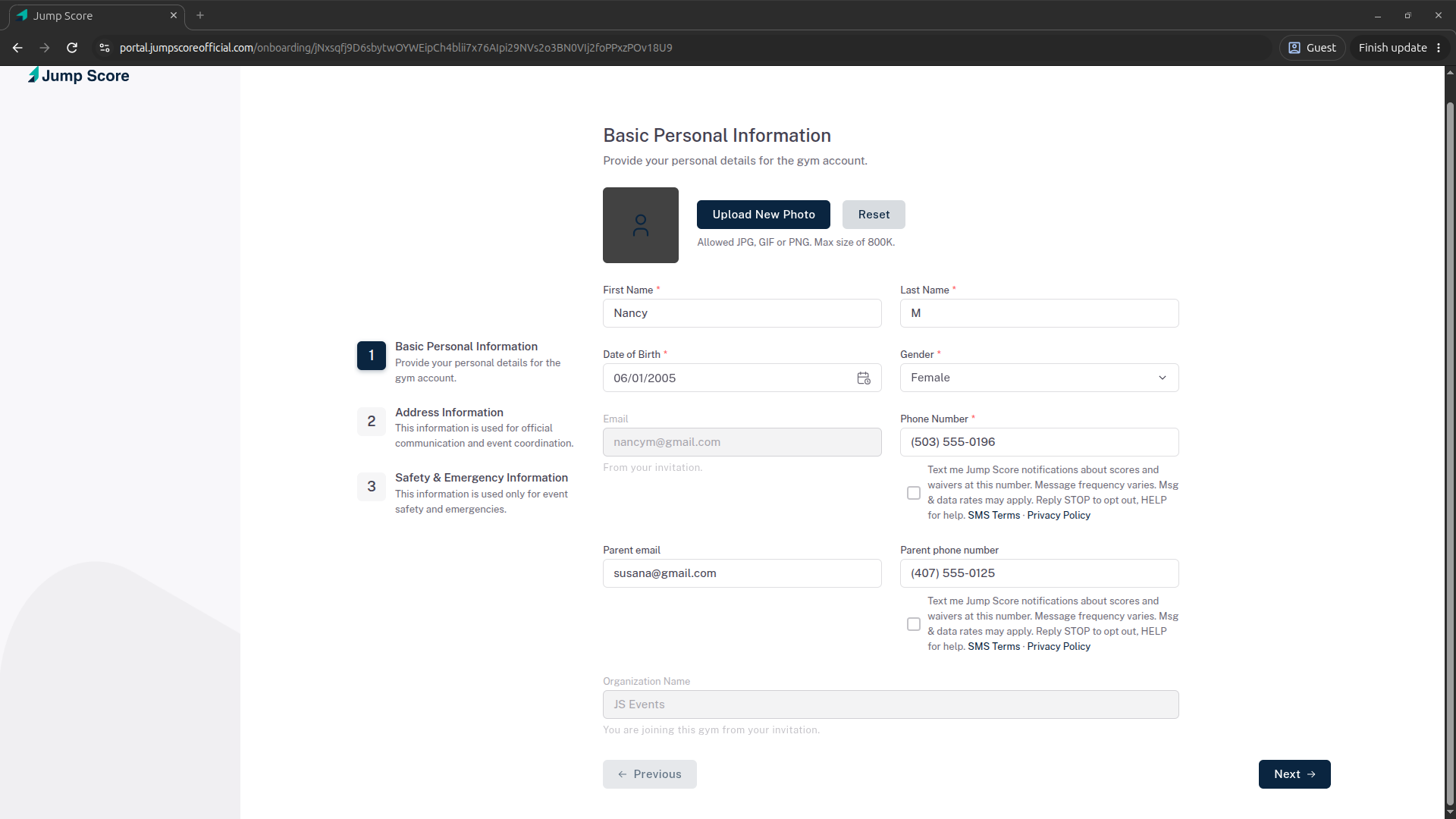
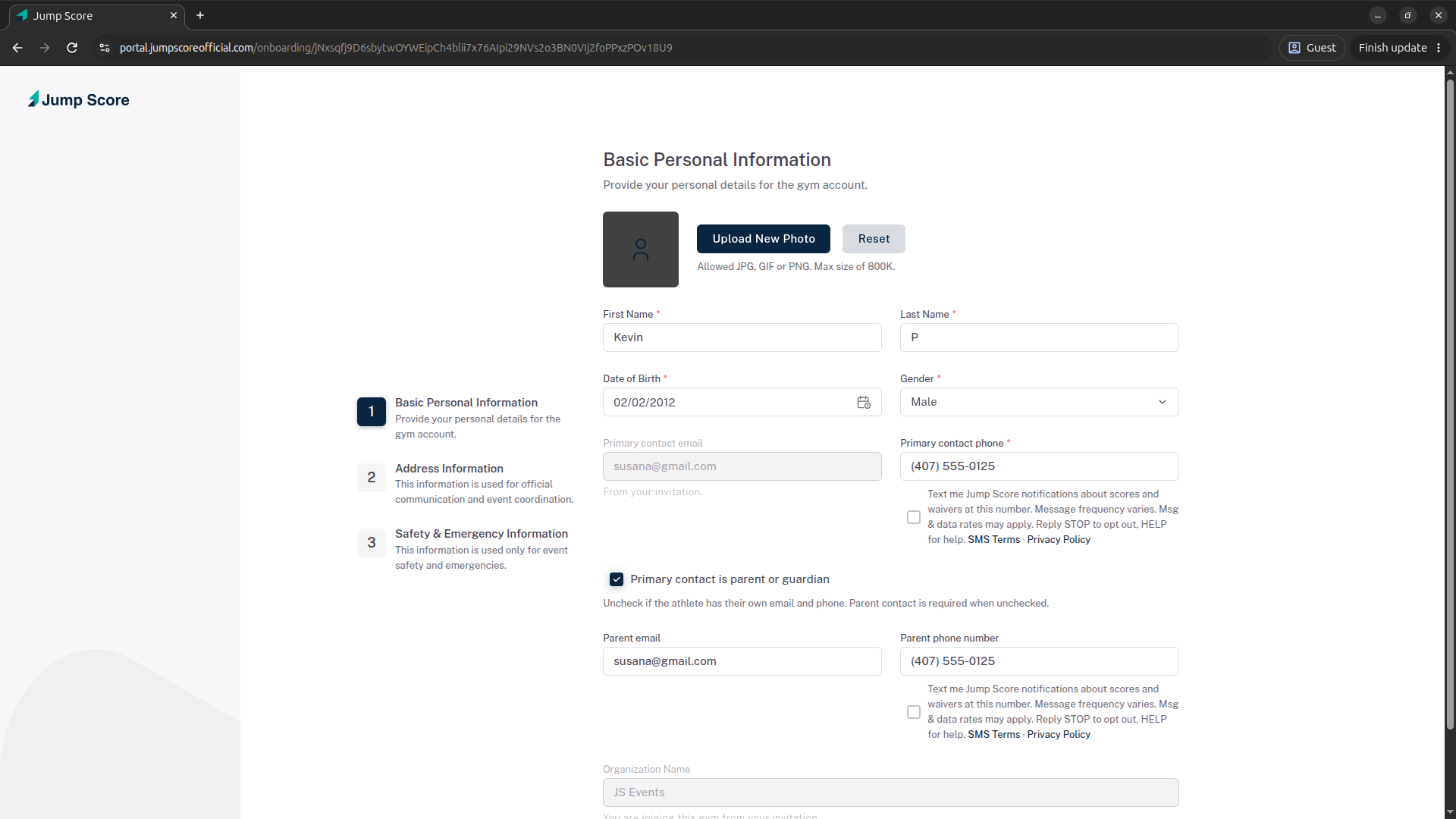
Every screen where a phone number that can be texted is entered has a consent checkbox under the phone field:
- It is never ticked by default.
- It is optional. The phone number saves without it, and Jump Score works the same. A number without consent receives no texts, only emails.
- It is separate from creating an account and from agreeing to any other terms.
- It links to the SMS Terms and the Privacy Policy.
- Each consent is recorded with the phone number, the date and time, who ticked the box, the wording shown and the IP address.
- When a phone number is changed, consent for the old number ends, and the box is unticked again for the new number.
- Every text ends with “Reply STOP to opt out.”
1. People Who Enter Their Own Number
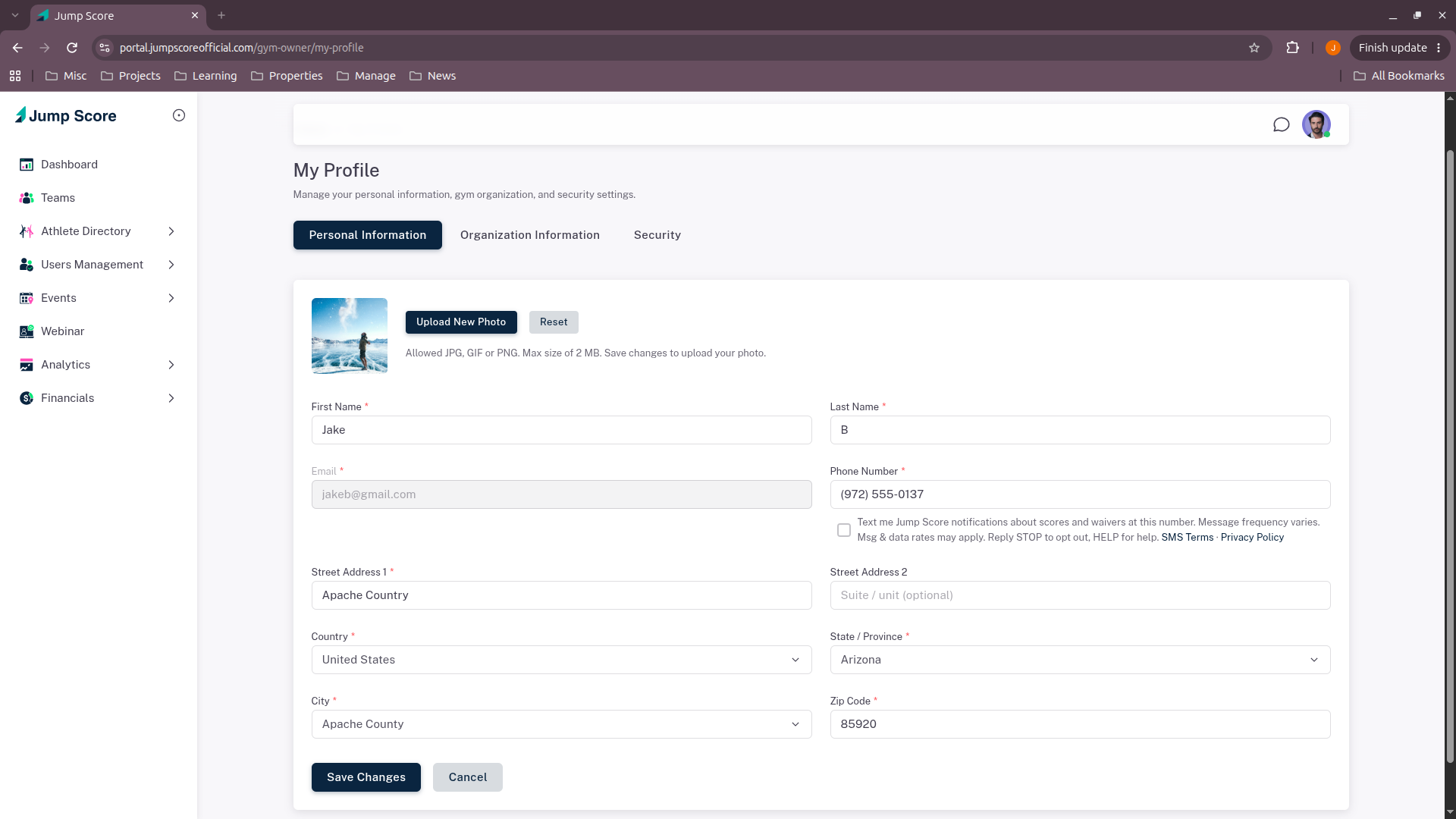
Gym owners, and athletes or their parents, tick this box themselves when they enter their own phone number during registration or on their profile:
Text me Jump Score notifications about scores and waivers at this number. Message frequency varies. Msg & data rates may apply. Reply STOP to opt out, HELP for help. SMS Terms · Privacy Policy
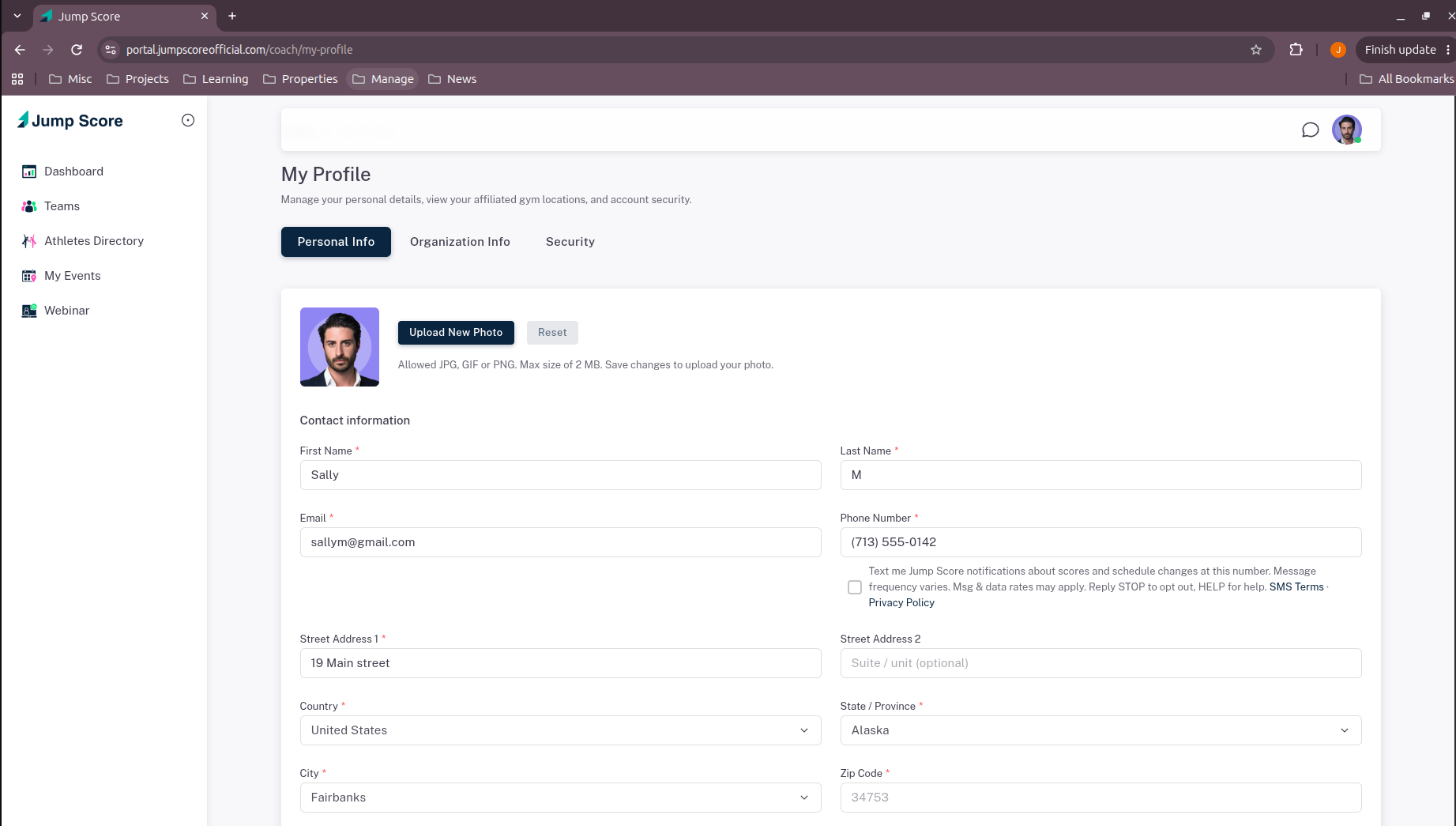
Coaches tick this box for their own number:
Text me Jump Score notifications about scores and schedule changes at this number. Message frequency varies. Msg & data rates may apply. Reply STOP to opt out, HELP for help. SMS Terms · Privacy Policy
2. Consent Given in Person at the Gym
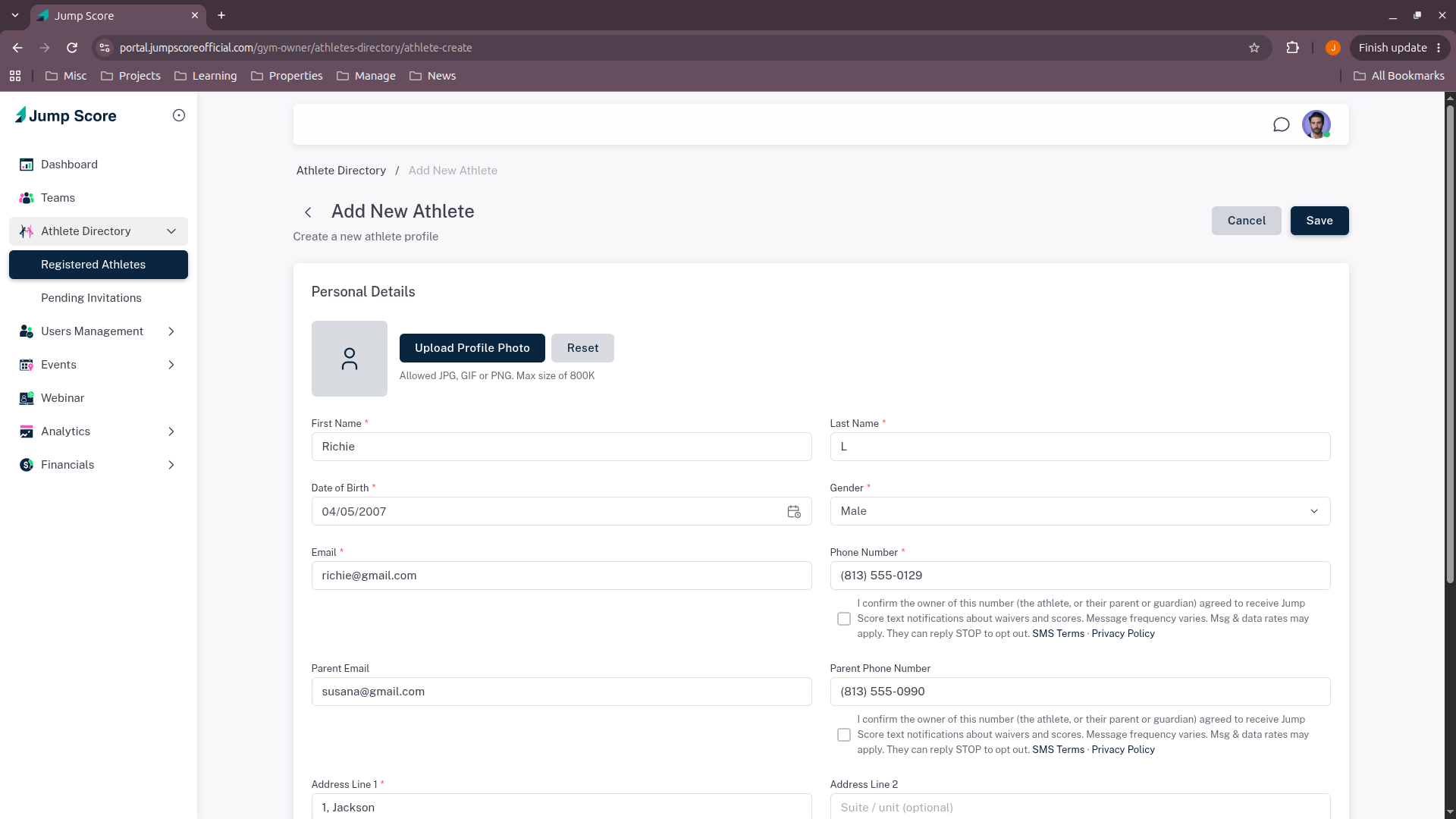
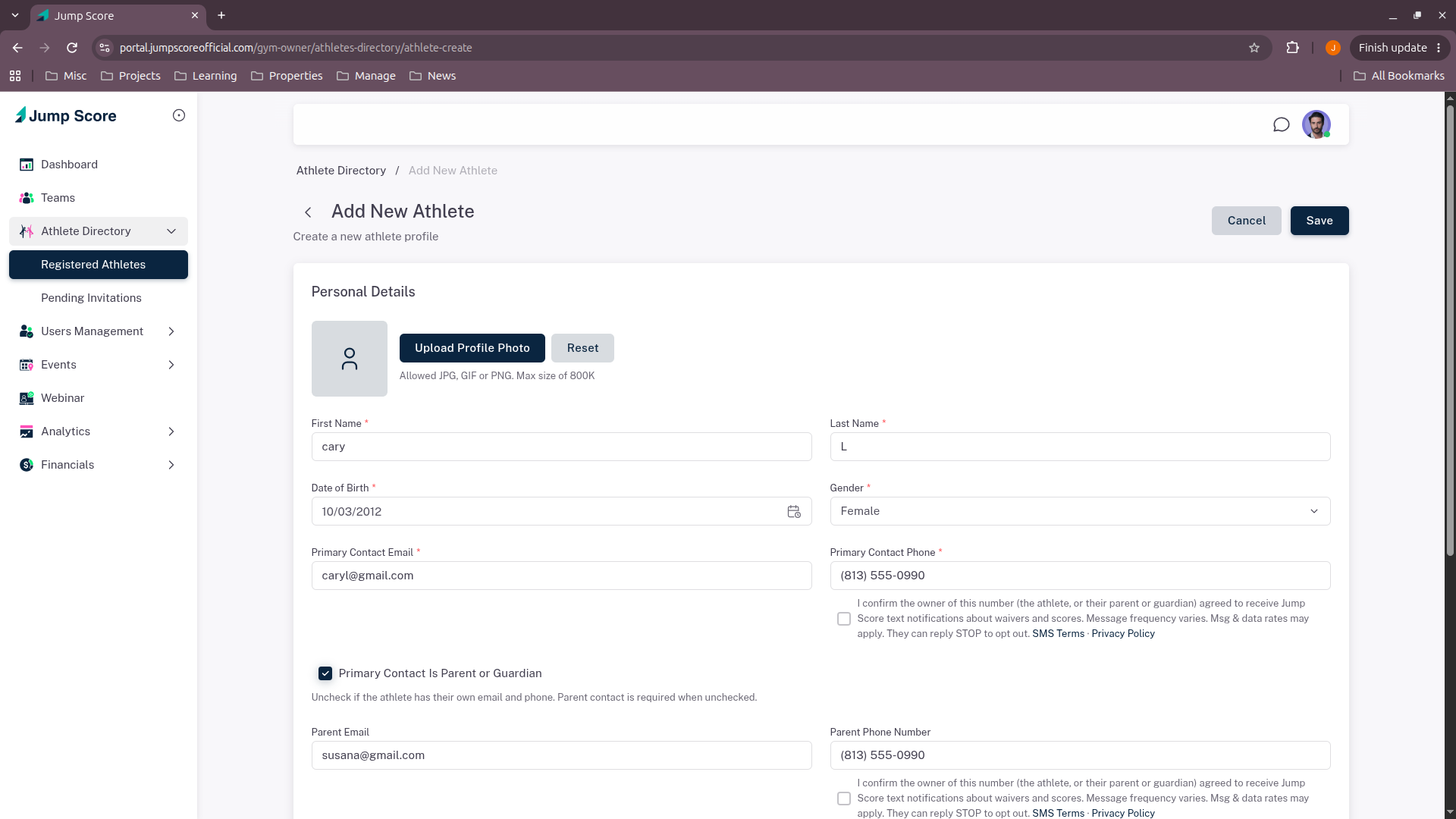
When an athlete registers with their gym, the gym asks the athlete, or their parent or guardian, in person whether they agree to receive Jump Score text notifications. If they agree, the gym records it in Jump Score by ticking this box next to that number:
I confirm the owner of this number (the athlete, or their parent or guardian) agreed to receive Jump Score text notifications about waivers and scores. Message frequency varies. Msg & data rates may apply. They can reply STOP to opt out. SMS Terms · Privacy Policy
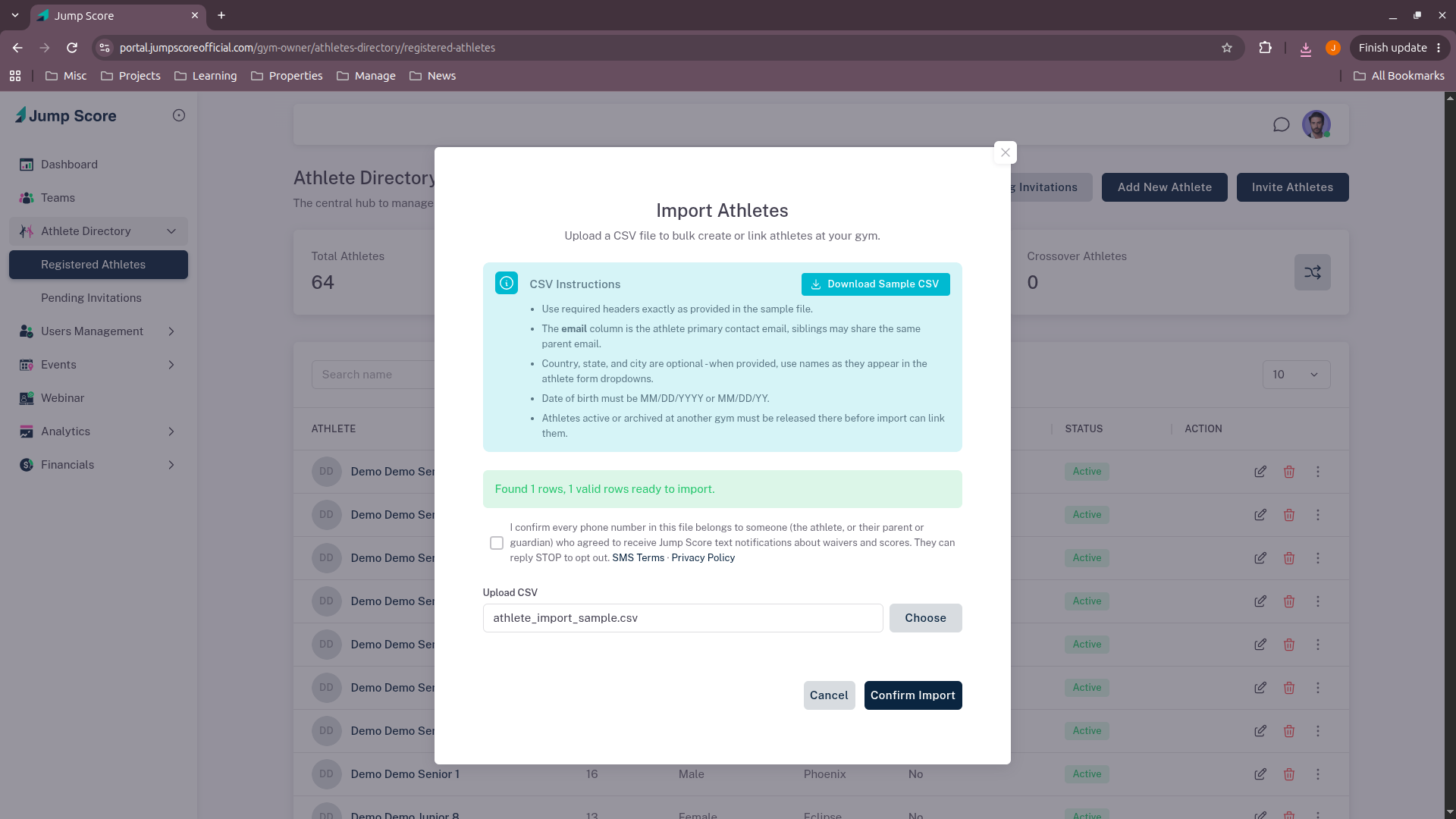
When a gym imports its athlete list from a file, one box covers every number in that file:
I confirm every phone number in this file belongs to someone (the athlete, or their parent or guardian) who agreed to receive Jump Score text notifications about waivers and scores. They can reply STOP to opt out. SMS Terms · Privacy Policy
3. Coach Numbers Entered by Event Staff
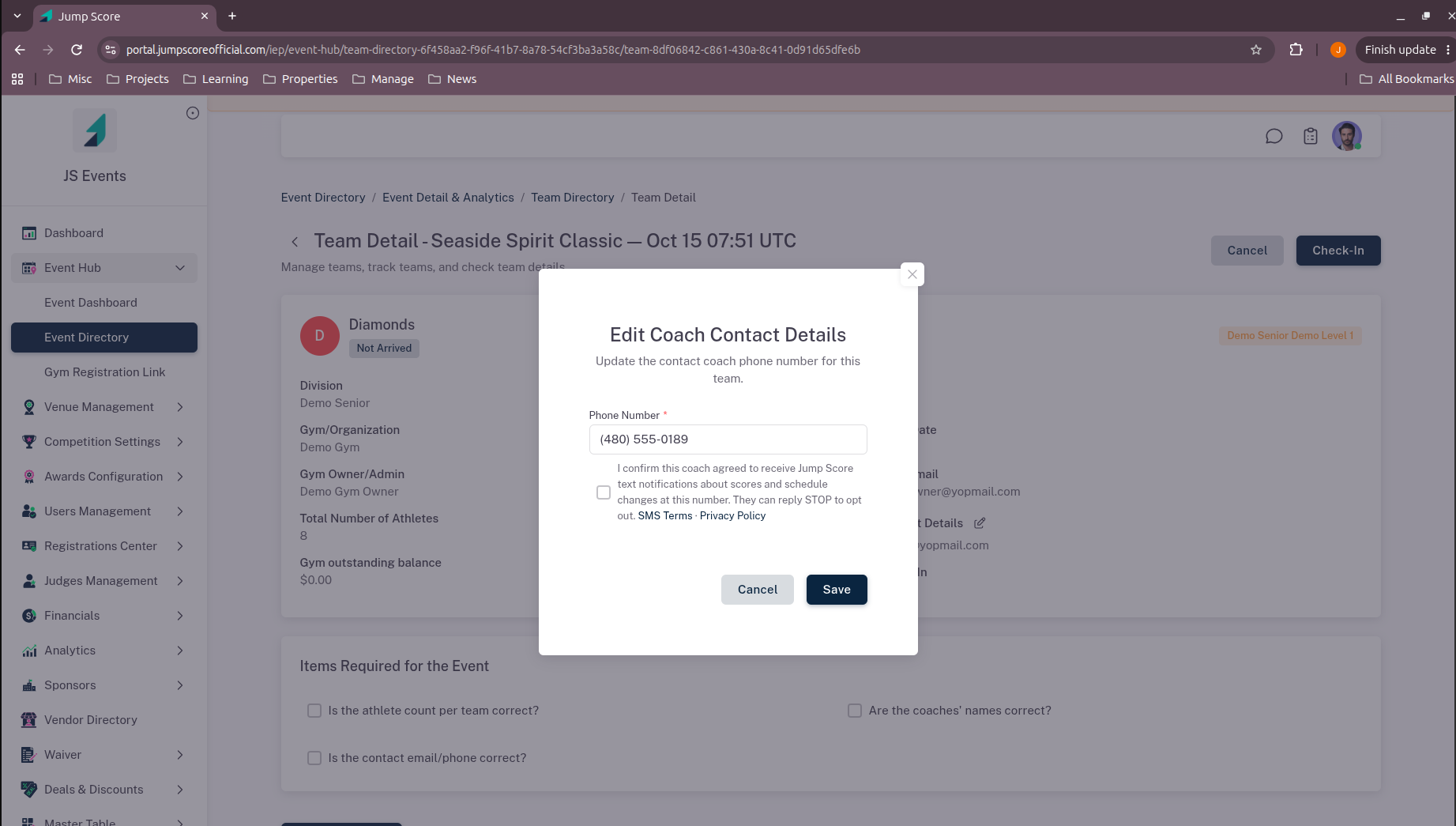
When event staff update a team’s coach contact number, they tick this box to confirm the coach agreed:
I confirm this coach agreed to receive Jump Score text notifications about scores and schedule changes at this number. They can reply STOP to opt out. SMS Terms · Privacy Policy
Stopping Texts
Anyone can reply STOP to any Jump Score text to stop all texts to their number, START to resume them, and HELP for help. Help is also available at privacy@jumpscoreofficial.com. Full details are in the SMS Terms.